
Format now
Free JSON Formatter Online – Format, Beautify & Validate JSON Instantly
Our free online tool designed to help developers, programmers, and data analysts easily format, beautify, validate, and clean JSON data. Whether you are debugging APIs, working with web applications, or handling structured data, this JSON formatter provides a quick and reliable way to make your JSON code readable and error-free.
JSON (JavaScript Object Notation) is widely used for data exchange between servers and applications. However, raw JSON data often appears compressed or unstructured, making it difficult to read and analyze. Our JSON Formatter converts messy JSON into a clean, structured, and well-organized format instantly.
This tool works directly in your browser, requires no installation, and is completely free to use.
What is a JSON Formatter?
A JSON formatter is an online utility that organizes and structures JSON data into a readable format by adding proper indentation, spacing, and line breaks. It helps developers easily understand complex data structures and detect errors quickly.
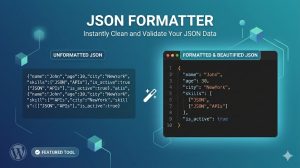
Instead of reading unformatted JSON like this:
{“name”:”John”,”age”:25,”city”:”New York”}
A JSON formatter converts it into:
{
“name”: “John”,
“age”: 25,
“city”: “New York”
}
This structured format improves readability, debugging, and data management.
Key Features of Our JSON Formatter Tool
✔ Format and Beautify JSON
Transform compressed or messy JSON into a well-structured format with proper indentation and spacing. Improve readability instantly.
✔ Validate JSON Data
Our tool checks your JSON syntax and identifies errors, helping you fix issues before using the data in your applications.
✔ Minify JSON
Reduce JSON file size by removing unnecessary spaces and formatting. This improves performance for web applications and APIs.
✔ Instant Processing
Format and validate JSON data in real time with fast and efficient processing.
✔ Copy and Download Results
Easily copy formatted JSON or download it for later use.
✔ 100% Free and Secure
No registration required. Your data remains private and is not stored on our servers.
✔ Works on All Devices
Use the JSON formatter on desktop, tablet, or mobile devices.
How to Use
Using our JSON formatter online is simple and quick:
-
Paste your JSON data into the input box.
-
Click the “Format JSON” button.
-
View the formatted and structured JSON instantly.
-
Copy or download the output as needed.
No technical knowledge is required, making it suitable for beginners and professionals alike.
Why Use an Online JSON Formatter?
Improve Readability
Formatted JSON makes it easier to understand data structure and relationships between elements.
Debug Faster
Proper formatting helps identify syntax errors quickly, saving development time.
Optimize Performance
Minified JSON reduces file size and improves data transmission speed.
Increase Productivity
Automated formatting eliminates manual editing and reduces mistakes.
Who Can Use This?
This tool is designed for anyone working with JSON data, including:
-
Web developers
-
Software engineers
-
API developers
-
Data analysts
-
Students learning programming
-
Backend developers
-
Mobile app developers
Whether you are building applications or analyzing data, our JSON formatter simplifies your workflow.
Benefits of Using Our Formatter
-
Clean and structured JSON output
-
Quick error detection
-
Faster debugging process
-
Improved data organization
-
Enhanced productivity
-
Secure and private usage
-
Completely browser-based solution
Our goal is to provide a fast, reliable, and user-friendly JSON formatting experience.
JSON Formatter vs JSON Validator
A JSON formatter improves readability by organizing data, while a JSON validator checks whether the JSON syntax is correct. Our tool combines both functions, allowing you to format and validate JSON simultaneously.
This saves time and ensures your JSON data is both readable and error-free.
Common Uses of JSON Formatting
JSON formatting is widely used in:
-
API testing and development
-
Web application debugging
-
Configuration file editing
-
Data exchange between systems
-
Database management
-
Software development projects
Properly formatted JSON improves collaboration and efficiency across development teams.
Secure and Private JSON Processing
We prioritize user privacy and security. All JSON formatting is performed directly in your browser, and your data is never uploaded or stored. This ensures complete confidentiality of your information.
Try Our Free Formatter Today
Format, validate, and beautify your JSON data instantly using our free online JSON Formatter. Improve readability, detect errors quickly, and optimize your workflow with a fast and reliable tool designed for developers and professionals.
Start using our JSON formatter now and make your JSON data clean, structured, and easy to understand.
Frequently Asked Questions (FAQs)
Is this JSON formatter free?
Yes, our JSON formatter is completely free to use with no hidden charges.
Is my data secure?
Yes, all processing happens in your browser, and we do not store your data.
Can I validate JSON with this tool?
Yes, the tool checks JSON syntax and helps identify errors.
Do I need to install software?
No installation is required. The tool works entirely online.
Can I use it on mobile devices?
Yes, the JSON formatter is fully responsive and works on all devices.
Visit our Facebook page for our other services.